Appraiser QuickBooks Integration: Stop Entering Everything Twice
You deliver a report. You create an invoice in your order tracker (or email, or Word document). Then you open QuickBooks and enter the same invoice again. Client name. Property address. Fee amount. Date. The same data, typed into two different systems, because they don't talk to each other.
When the payment arrives 30 days later, you record it in QuickBooks. Then you go back to your order tracker and mark it paid there too. Two entries. Same information. Twice the effort. Twice the chance of a typo or a missed entry.
Now multiply that by 15-20 orders per month. Every invoice entered twice. Every payment recorded twice. Every client's accounting data living in two separate places that you manually keep synchronized.
At the end of the year, your CPA asks for your revenue breakdown by client type. You can pull total revenue from QuickBooks, but the breakdown by AMC versus private versus estate? That requires cross-referencing QuickBooks with your order tracker. Which may or may not agree, because somewhere in the last 12 months, you entered a payment in one system and forgot to record it in the other.
This is the double-entry tax. And every appraiser using QuickBooks alongside a separate order tracking method is paying it.
The Root of the Problem
QuickBooks is accounting software. It's excellent at what it does: tracking income, expenses, generating financial reports, and keeping your CPA happy at tax time.
But QuickBooks doesn't know anything about your appraisal practice. It doesn't know order status. It doesn't know which AMC sent which order. It doesn't connect a payment to the inspection you did on Tuesday. It doesn't track turn times, client history, or whether the Jones estate has three open orders or just one.
Your order tracking system (whether that's a spreadsheet, Anow, or your email inbox) has that operational context. But it doesn't do accounting.
So you use both. And you - the appraiser who should be doing inspections, writing reports, and building private client relationships - become the bridge between them. Manually syncing data between two systems that should be sharing it automatically.
It's the same duct tape stack problem that affects every other part of your operation - disconnected tools with you as the integration layer. (Full breakdown here.)
What Integration Actually Means
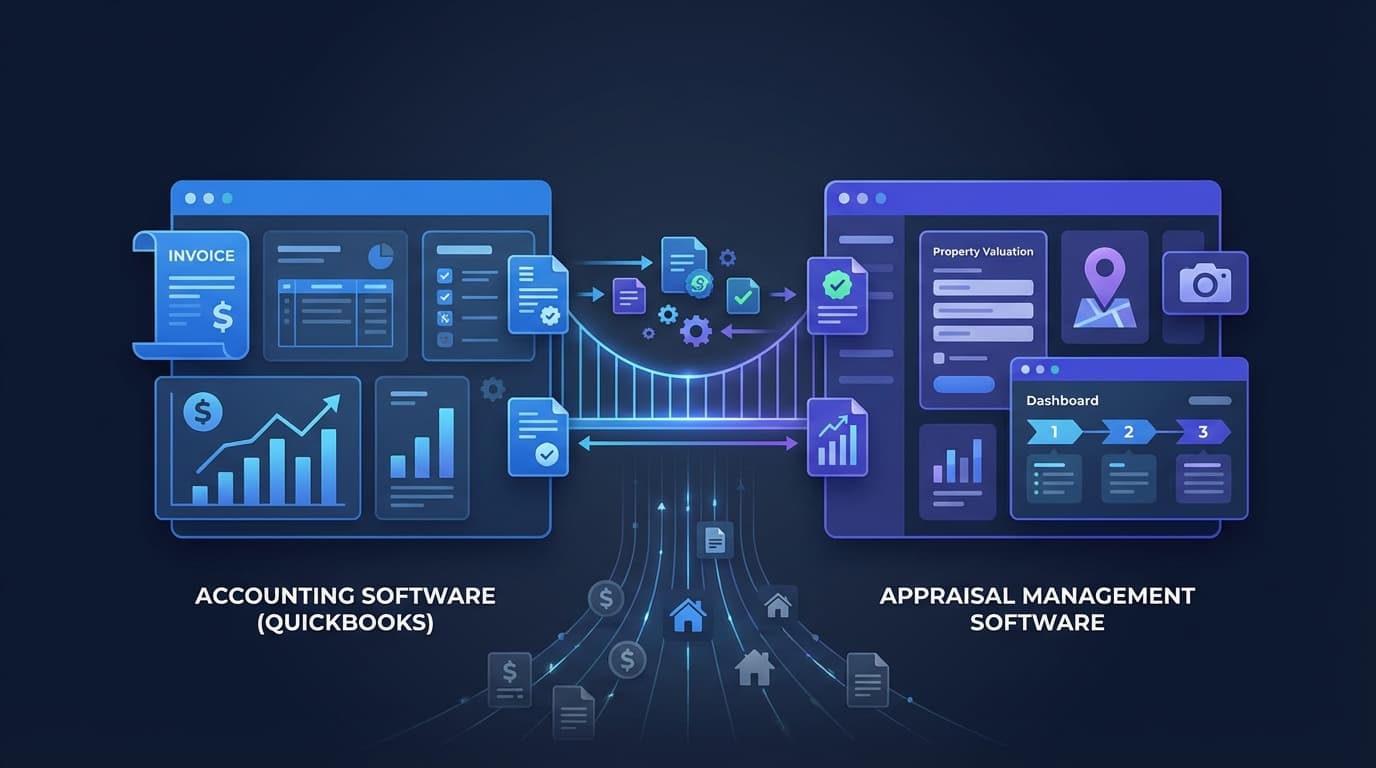
When your practice management system integrates with QuickBooks, it means invoices generated in your order system automatically sync to QuickBooks. Payments recorded in either system update the other. Client records stay consistent across both. You enter the data once and it flows where it needs to go.
In practice, the workflow becomes:
You deliver a report. You mark the order as delivered in your practice management system. The invoice generates automatically (with the correct client, fee, and order details). That invoice syncs to QuickBooks as a new receivable. When the payment comes in, you record it once. Both systems update.
End of month: your QuickBooks reports match your practice management reports. No reconciliation. No hunting for the payment you forgot to enter. No "why does QuickBooks say I billed $4,200 this month but my tracker says $4,800?"
End of year: your CPA gets clean books that accurately reflect your practice. Revenue by client type, outstanding receivables, contractor payments, and mileage deductions - all from systems that have been synchronized all year instead of reconstructed in January.
The Double Entry You Don't See
Most appraisers don't think of double data entry as a significant cost because each individual entry feels small. But the aggregate matters.
Every invoice gets entered twice, once in your order tracker and once in your accounting software. Every payment gets recorded twice. Then there's the monthly reconciliation to make sure both systems agree.
That's pure administrative work that produces zero value. It doesn't generate revenue. It doesn't build client relationships. It doesn't improve your reports. It's bookkeeping overhead created by disconnected systems.
Over a year, that's a lot of re-entered data that a connected system would handle automatically.
Why Clean Books Matter Beyond Tax Season
This connects to something most appraisers don't think about until it's too late.
If you ever want to sell your practice, a buyer's first request will be your financial records. Three years of clean P&L statements. Revenue by client type. Payment history. Outstanding receivables. Contractor payment records.
If those records are scattered across a QuickBooks file that doesn't match your order tracker, reconstructing accurate financials becomes a project in itself. The buyer's confidence drops. The valuation drops. The deal may not happen.
Clean, integrated books aren't just about tax convenience. They're enterprise goodwill - the documented financial infrastructure that makes your practice verifiable and transferable. (More on building sellable value.)
How It Works in Appraiser Machine
Appraiser Machine's QuickBooks integration syncs invoices and payments bidirectionally. When you generate an invoice from an order, it appears in QuickBooks as a new receivable. When you record a payment, both systems update. Your chart of accounts, client names, and revenue categories stay consistent.
To set it up, connect your QuickBooks account, map your revenue categories, and confirm the sync. After that, it runs automatically on every order.
The result: you enter data once. Your books stay clean. Your CPA gets accurate records. And you stop re-entering data that was never worth your time.
Related Articles:

Jon Barrett
Jon Barrett is the founder of Appraiser Machine and has spent over a decade working with independent appraisers. He's built 300+ appraiser websites, co-led a national appraiser mastermind group, and talked with hundreds of appraisers about what's actually working in their practices. He built Appraiser Machine because the operations side of running an appraisal practice was still stuck in spreadsheets and duct tape - and appraisers deserved better.